Building an NTP server on a Raspberry Pi with chrony or ntpd-rs
In an earlier post, I described how SatPulse can now work without the specialised PHC hardware it previously required. This means, in particular, that it is possible to use SatPulse to build an NTP server on a regular Raspberry Pi, rather than requiring a Raspberry Pi CM4 or CM5.
In this post, I will explain how to do this, using two different NTP servers: chrony and ntpd-rs.
Hardware
Before we get into the details of configuration, let me say something about GPS hardware. When using a Raspberry Pi, the PPS signal is connected to a GPIO pin on the Pi. This means that the time of the PPS edge is measured in software by the kernel, rather than in hardware. The accuracy you will get is in the microsecond range. Basic GPS receivers can achieve an accuracy of 50ns in normal conditions. So my main hardware advice is that in this context a fancy, expensive GPS receiver will not deliver any measurable benefit.
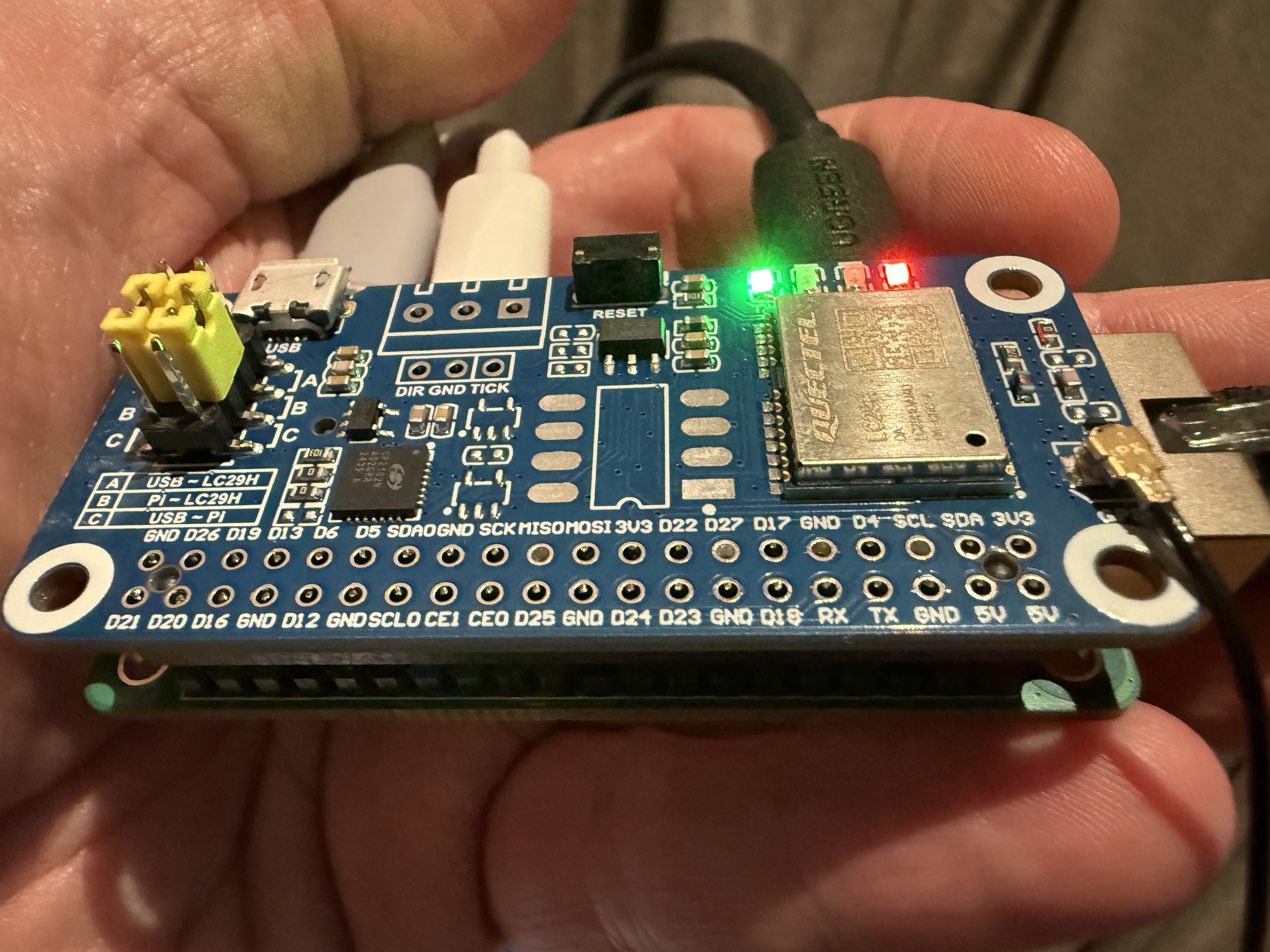
GPS receivers are available in a Pi HAT form factor, which plugs into the 40-pin GPIO header. These HATs typically wire the GPS PPS signal to pin 12 (GPIO 18). I do not recommend these when using PHC hardware, because the GPS PPS signal needs to be wired to the SYNC_OUT pin on a different header. But when using a normal Raspberry Pi, they are very convenient, although you typically pay a premium for this convenience.
Setup
The following steps can be done exactly as described in SatPulse Setup Guide.
- Install Raspberry Pi OS
- Configure the UART
- Install SatPulse but choose the 0.2 pre-release
- Verify the GPS serial connection; the device will be
/dev/ttyAMA0
Configuration of kernel PPS is different.
First, configure pin 12 (GPIO 18) as a PPS pin, by adding the following at the bottom of /boot/firmware/config.txt
dtoverlay=pps-gpio,gpiopin=18
Reboot after this. To verify the PPS signal is working, install pps-tools using
sudo apt install pps-tools
Then do:
sudo ppstest /dev/pps0
It should show PPS events once per second:
trying PPS source "/dev/pps0"
found PPS source "/dev/pps0"
ok, found 1 source(s), now start fetching data...
source 0 - assert 1775392263.000000336, sequence: 170178 - clear  0.000000000, sequence: 0
source 0 - assert 1775392264.000000215, sequence: 170179 - clear  0.000000000, sequence: 0
source 0 - assert 1775392264.999998780, sequence: 170180 - clear  0.000000000, sequence: 0
source 0 - assert 1775392265.999999085, sequence: 170181 - clear  0.000000000, sequence: 0
Exit with Ctrl-C.
Now you need to edit /etc/satpulse.toml. Most important point is to remove the [phc] section.
All you need is this:
[serial]
device = "/dev/ttyAMA0"
# fix to match your serial device speed
speed = 9600

[gps]
config = true
vendor = "u-blox"

# Enable HTTP monitoring on port 2000
[[http]]
listen = ":2000"

[ntp]
# Use this for chrony
sock.path = "/var/run/chrony.satpulse.sock"
# Use this for ntpd-rs
# sock.path = "/run/ntpd-rs/satpulse.ttyAMA0.sock"
Uncomment the sock.path line for whichever of chrony or ntpd-rs you use.
You can now start SatPulse using
sudo systemctl start satpulse@ttyAMA0
You can point a browser at port 2000 and you should get a page showing information from the GPS receiver.
Chrony
To configure chrony, first install with
sudo apt install chrony
Then create a file /etc/chrony/conf.d/satpulse.conf with the following:
refclock PPS /dev/pps0 poll 2 lock GPS refid PPS
refclock SOCK /var/run/chrony.satpulse.sock offset 0.1 delay 0.2 refid GPS noselect
The refclock PPS line makes chrony use the kernel PPS API to read PPS samples from /dev/pps0.
These are accurate but lack time-of-day information.
The refclock SOCK line makes chrony read samples generated by satpulsed.
These are inaccurate but include time-of-day.
The offset 0.1 corrects for serial messages coming 0.1 second after the top of the second.
Chrony can use the samples from satpulsed to complete the PPS samples.
Chrony can also use samples from other NTP servers to complete the samples,
so if you want to check that this is really working,
you should at least temporarily comment out the pool line from /etc/chrony/chrony.conf.
ntpd-rs
Ubuntu has announced plans to adopt ntpd-rs as its default NTP server, replacing chrony, primarily because of memory safety. Since SatPulse is written in Go, the combination of ntpd-rs and SatPulse provides a fully memory-safe timing stack. Like SatPulse, ntpd-rs uses TOML for its configuration files and supports Prometheus, so the combination makes for a pleasantly harmonious configuration and observability experience.
To install, download a deb file from the Releases page. You need at least version 1.7.2. (The version in Raspberry Pi OS will not work.)
Next, you will need to remove your existing NTP daemon (e.g. systemd-timesyncd or chrony):
sudo apt remove systemd-timesyncd chrony
Then install ntpd-rs
sudo dpkg -i ./ntpd-rs_1.7.2-1_arm64.deb
Now you need to set things up so that ntpd-rs can access /dev/pps0.
Create a file /etc/udev/rules.d/99-ntpd-rs-pps.rules containing the line
KERNEL=="pps0", GROUP="ntpd-rs", MODE="0640"
This ensures that when /dev/pps0 is created at boot time it will have a group and permissions that enables ntpd-rs to access it. To make this take effect without booting, do
sudo udevadm control --reload
sudo udevadm trigger /dev/pps0
Now we need to configure ntpd-rs.
Put the following in /etc/ntpd-rs/ntp.toml:
[observability]
log-level = "debug"
observation-path = "/var/run/ntpd-rs/observe"

[[source]]
mode = "pps"
path = "/dev/pps0"
precision = 1e-7
accuracy = 1e-6

[[source]]
mode = "sock"
precision = 1e-2
path = "/run/ntpd-rs/satpulse.ttyAMA0.sock"
accuracy = 0.2

[synchronization]
minimum-agreeing-sources = 1

[[server]]
listen = "0.0.0.0:123"
When I tried initially to get this working with version 1.7.1 of ntpd-rs,
it didn’t work. I submitted an issue,
and within a day one of the developers, David Venhoek, had added a feature to enable this configuration.
This was included in version 1.7.2, released a few days ago.
It adds the ability to specify the accuracy of sources as distinct from their precision.
Accuracy means how close measurements are to true time.
Precision means how much measurements vary from each other.
The serial timing measurements from satpulsed are quite precise
but are extremely inaccurate.
Specifying a low accuracy for samples from satpulsed
ensures that ntpd-rs uses the PPS samples as the primary source,
and uses the satpulsed samples just to complete the PPS samples.
But note that if you specify an accuracy of 0.25 or worse,
you need to increase maximum-source-uncertainty from its default of 0.25.
Now you can start ntpd-rs using
sudo systemctl start ntpd-rs
You can verify it’s working by using
ntp-ctl status