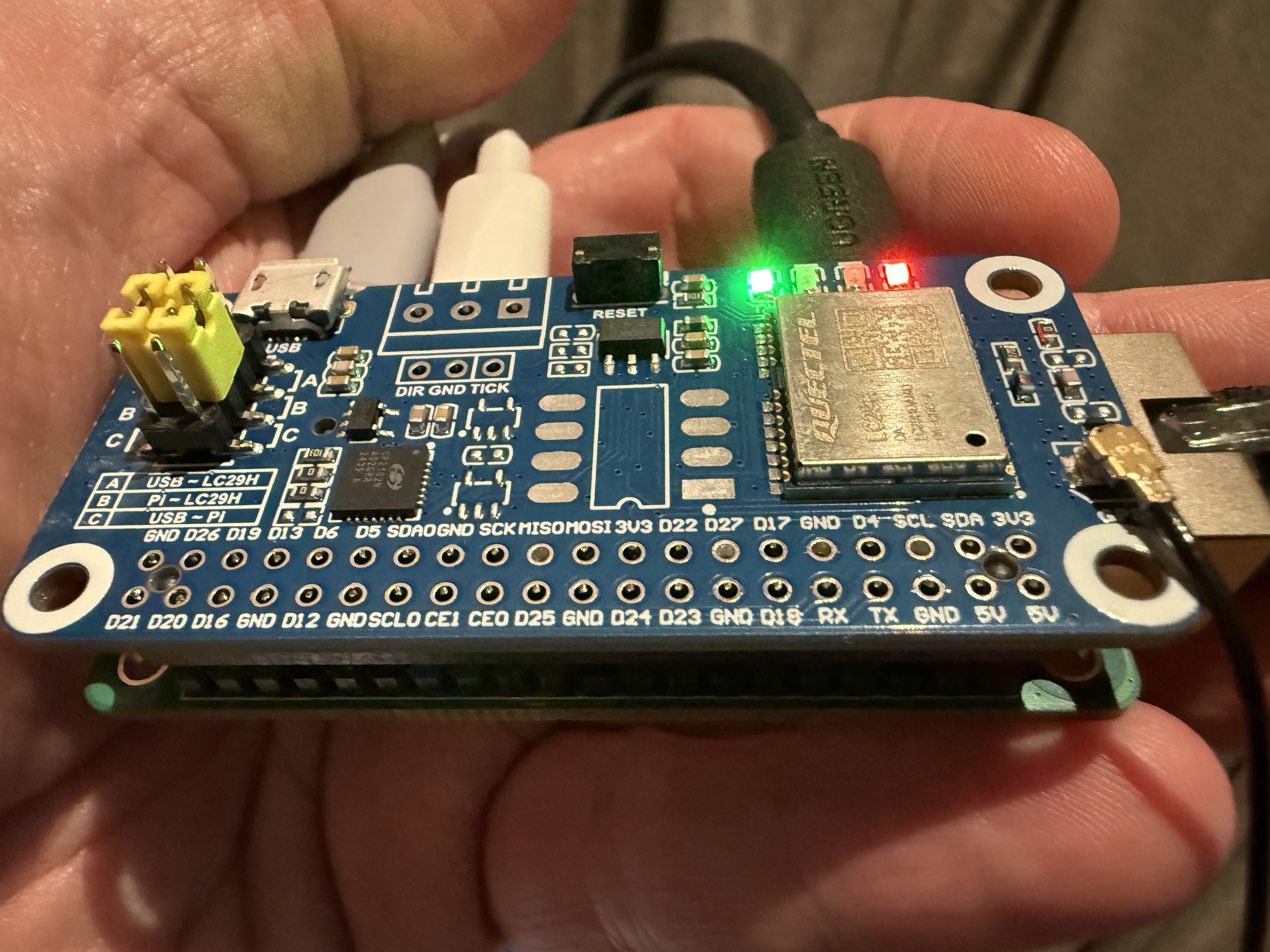
Radxa ZERO 3E with a Waveshare GNSS HAT
I have been wondering whether there are any SBCs out there that might have advantages over Raspberry Pis for connection to GNSS receivers. I am happy to report that the Radxa ZERO 3E does pretty well: Gigabit Ethernet in a Pi Zero form factor is a nice combo.
Radxa ZERO 3E
I have been experimenting with a Radxa ZERO 3E. Key hardware features
- Pi Zero form factor
- 1.6GHz quad core Cortex-A55 (roughly Pi 3B+ performance)
- 1 to 8GB RAM
- Gigabit Ethernet port
- 40-pin GPIO
- optional PoE HAT
- USB 2.0 type C power port
- USB 3.0 type C port
- micro HDMI video port
I was able to buy a 1GB model a month ago on AliExpress for $24 excluding shipping.
This is quite a compelling hardware proposition for something to connect a GNSS module to compared to what Raspberry Pi has on offer. The strength of Raspberry Pi is in the software ecosystem. But this has Armbian standard support, which as far as I can tell is what you want if you are not using Raspberry Pi.
Waveshare GNSS HATs
I was particularly interested in getting something in the Pi Zero form factor in order to combine it with a HAT because Waveshare make a number of GNSS modules in a Pi Zero form factor designed to plug into the 40-pin GPIO connector on a Raspberry Pi. They have versions using:
I tried it with the LC29H(DA) which is RTK capable. Physically they connect together with no problem. The combination is tiny and quite neat.
OS setup
Setting up the OS isn’t hard but is not completely obvious.
I first downloaded an Armbian image. I chose the Minimal, Debian 13 image with the non-vendor kernel 6.18.9. I used Balena Etcher on macOS to write the image.
Armbian setup needs a monitor and keyboard attached.
There are two things that need setting up: the serial connection and the PPS connection.
Serial
The UART on the HAT is wired to pins 8 and 10 on the GPIO header. These are UART2 on the ZERO 3 which shows up as /dev/ttyS2. By default, this is enabled but configured as a serial console. So all that is necessary is to stop it being used as a serial console.
To do this, first edit /boot/armbianEnv.txt to change the line with console=both to console=display.
Then disable the getty service:
sudo systemctl disable --now serial-getty@ttyS2.service
sudo systemctl mask serial-getty@ttyS2.service
PPS
Most Waveshare HATs wire the GNSS PPS output to pin 12. (The L76K does not wire PPS up at all, so it won’t work well for timing applications.) To make PPS work, we therefore have to create a device overlay that wires up pin 12 on the Radxa as a PPS input.
Create a file /tmp/rk3566-zero3e-pps-gpio12.dts:
/dts-v1/;
/plugin/;

/ {
	compatible = "radxa,zero-3e", "rockchip,rk3566";

	fragment@0 {
		target-path = "/";
		__overlay__ {
			pps_gpio12: pps-gpio12 {
				compatible = "pps-gpio";
				pinctrl-names = "default";
				pinctrl-0 = <&pps_gpio12_pin>;

				/*
				 * Physical pin 12 = GPIO3_A3.
				 * Rockchip GPIO specifier is <controller line flags>,
				 * so this is gpio3 line 3, active high.
				 */
				gpios = <&gpio3 3 0>;

				/*
				 * For normal GNSS 1PPS active-high pulses, leave this out.
				 * For falling-edge PPS timestamping, uncomment:
				 *
				 * assert-falling-edge;
				 */

				status = "okay";
			};
		};
	};

	fragment@1 {
		target = <&pinctrl>;
		__overlay__ {
			pps-gpio12 {
				pps_gpio12_pin: pps-gpio12-pin {
					/*
					 * <bank pin mux config>
					 * bank 3, PA3, mux 0 = GPIO, no pull.
					 */
					rockchip,pins = <3 3 0 &pcfg_pull_none>;
				};
			};
		};
	};
};
(ChatGPT was able to create something that worked first time, slightly to my surprise.)
To install this overlay:
sudo apt install -y device-tree-compiler
sudo armbian-add-overlay /tmp/rk3566-zero3e-pps-gpio12.dts
Then reboot
sudo reboot
This creates a /dev/pps0 device.
SatPulse
To use the LC29H with SatPulse, this is enough to get started:
[serial]
device = "/dev/ttyS2"
speed = 115200

[gps]
vendor = "quectel"

[[http]]
listen = ":2000"