Introducing SatPulse Workbench
I am excited about a new program that is included in the latest SatPulse 0.3 pre-release.
I call it SatPulse Workbench.
It provides a graphical interface for GNSS receiver configuration and monitoring.
It is an interactive tool for exploring and experimenting with a GNSS receiver.
It supports many of the tasks for which vendor evaluation software such as u-center is commonly used.
It is web-based, which means that you use it through a web browser.
Concretely, it is a command-line program satpulsewb that runs on the computer the GNSS receiver is attached to and acts as a web server.
It supports Linux, macOS and Windows.
The web-based approach means that you can run satpulsewb on a headless SBC such as a Raspberry Pi,
and then interact with it from a browser running on a Mac or PC.
But it works equally well if you have the receiver attached locally.
I have made an effort to provide a good out-of-the-box experience.
After installing SatPulse, no configuration is required.
You can run satpulsewb with no arguments,
in which case it will print a URL that you can copy and paste into your browser.
The URL includes a unique, generated token to provide a modest level of security.
(You can use an SSH tunnel if you need more security than this.)
If you are running locally, it will also open the browser for you.
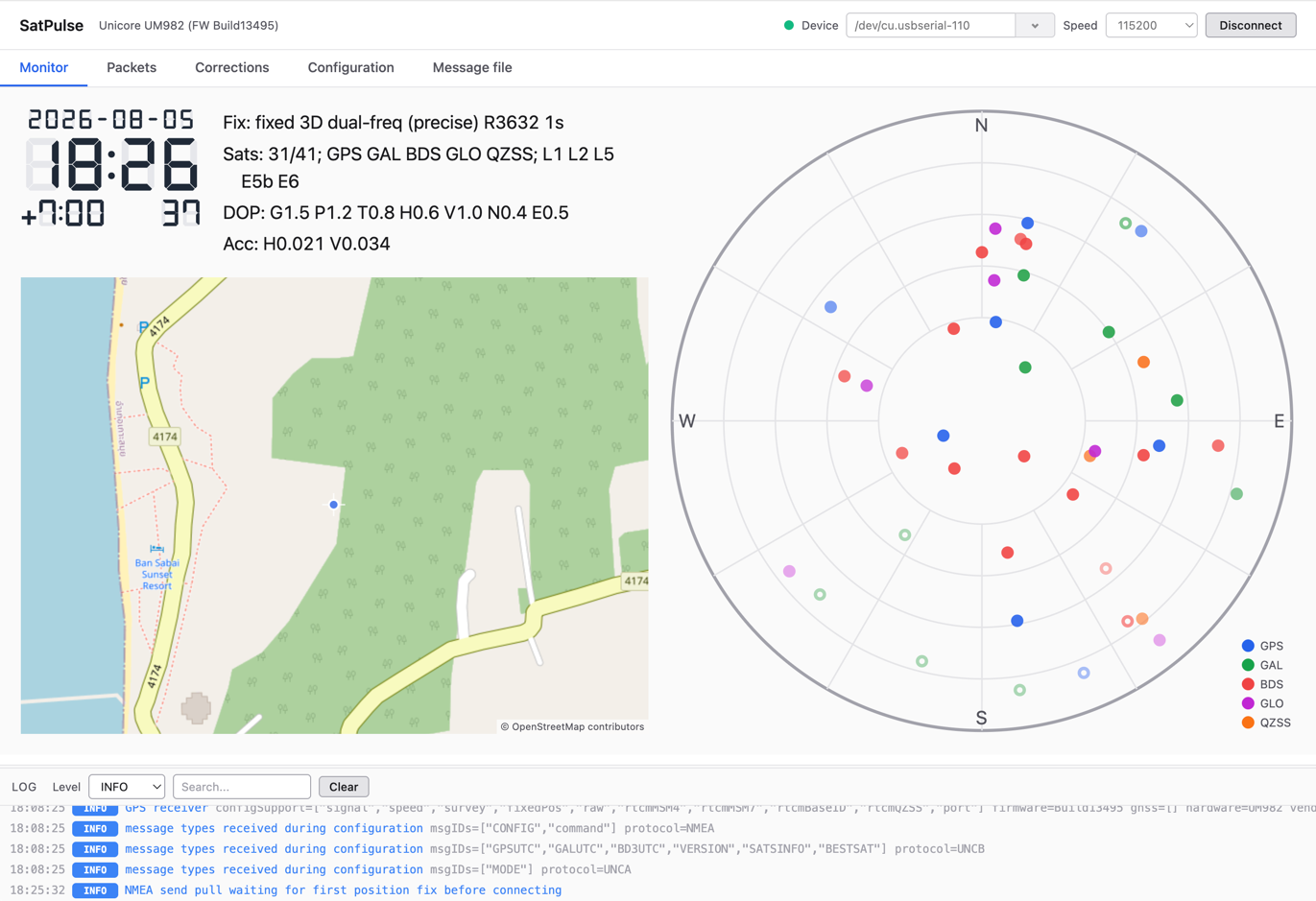
SatPulse Workbench has three main areas of functionality: monitoring, configuration and corrections. The interface is tab-based.
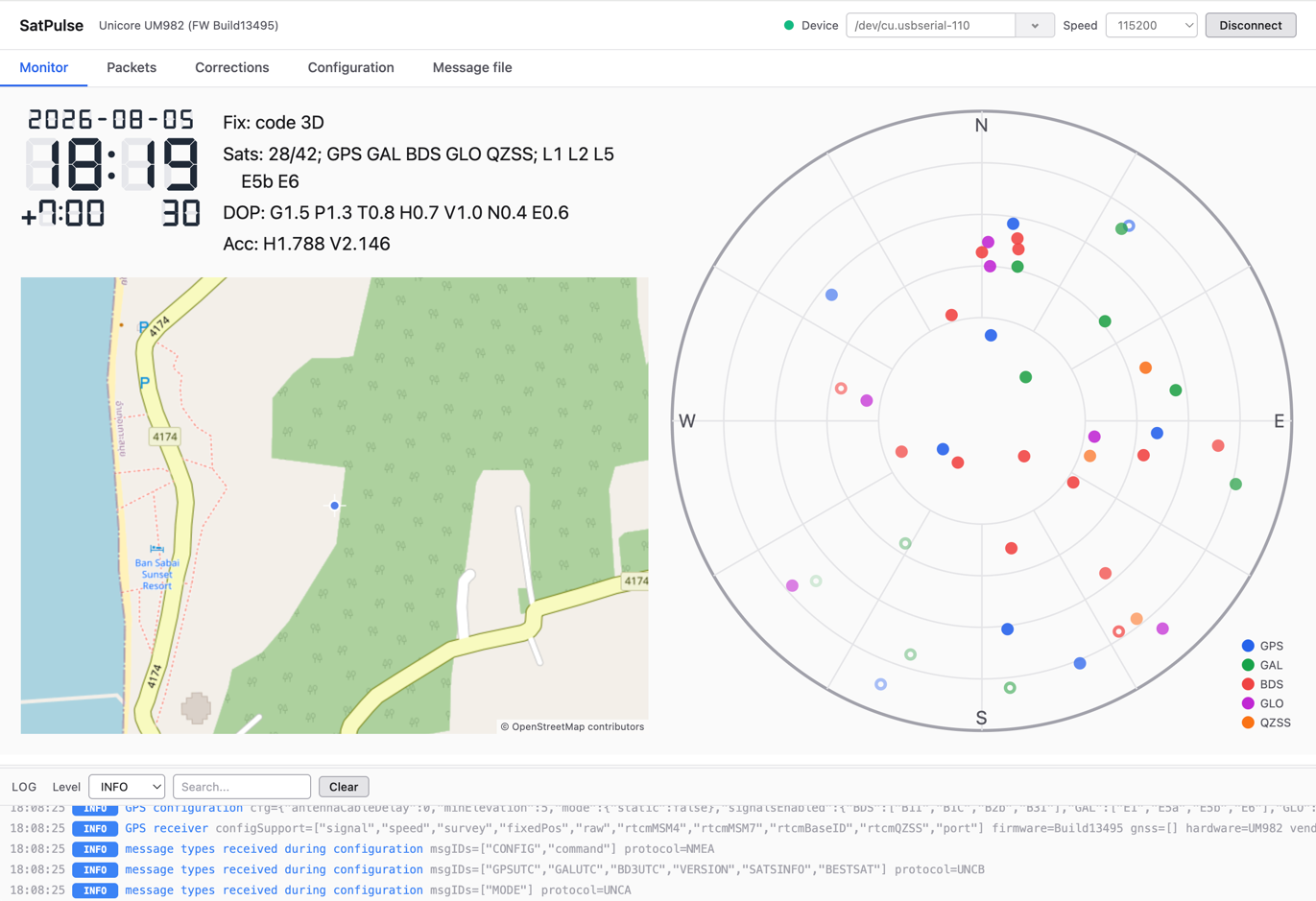
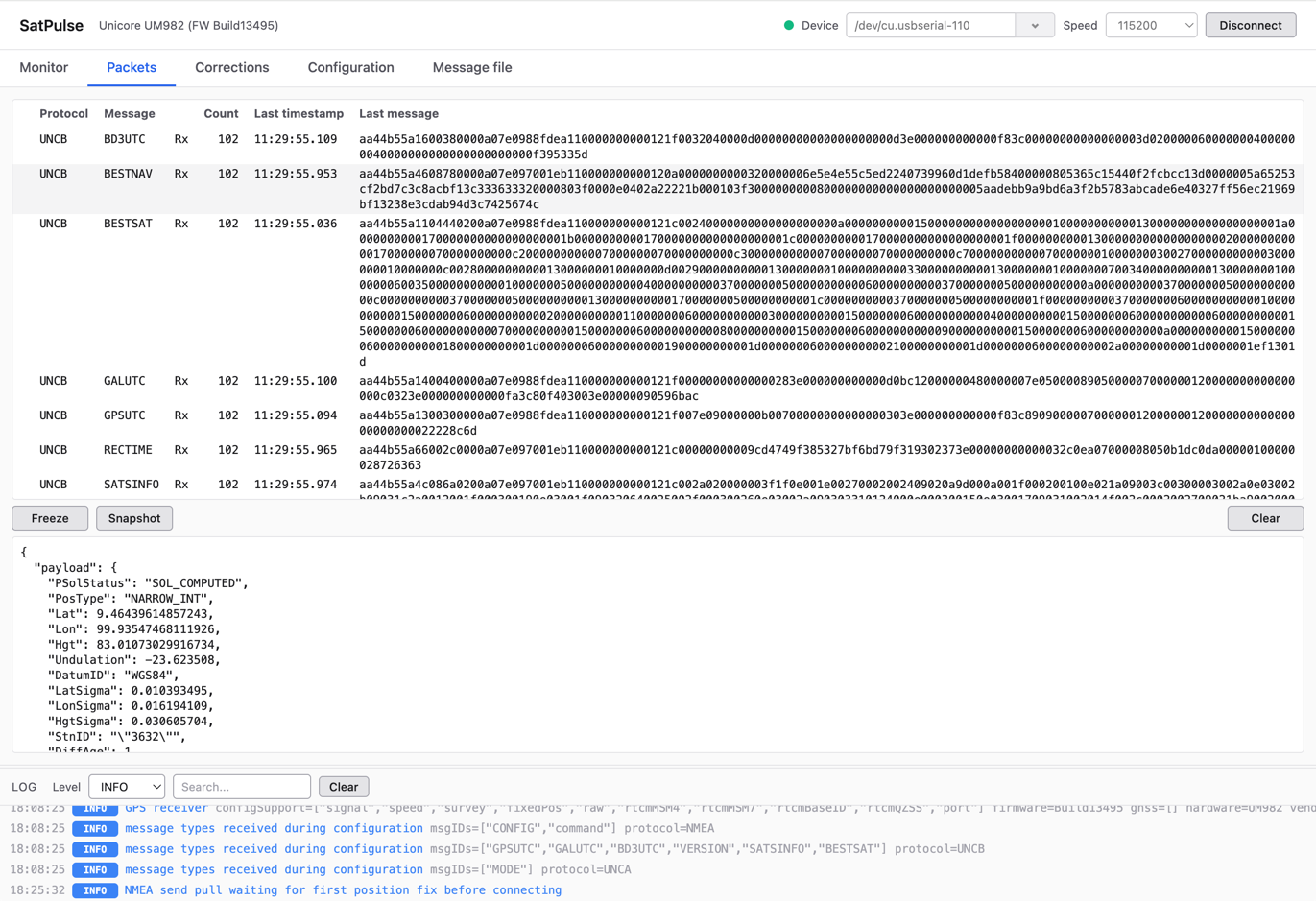
There are two tabs devoted to monitoring. The first provides high-level monitoring, providing the things you would expect like a map view and a sky view. The second provides a low-level packet view; instead of showing a linear stream of packets, it aggregates by message type and epoch, which I find makes it much easier to grasp what is going on. The packet tab also allows binary packets to be decoded into a human-readable JSON.
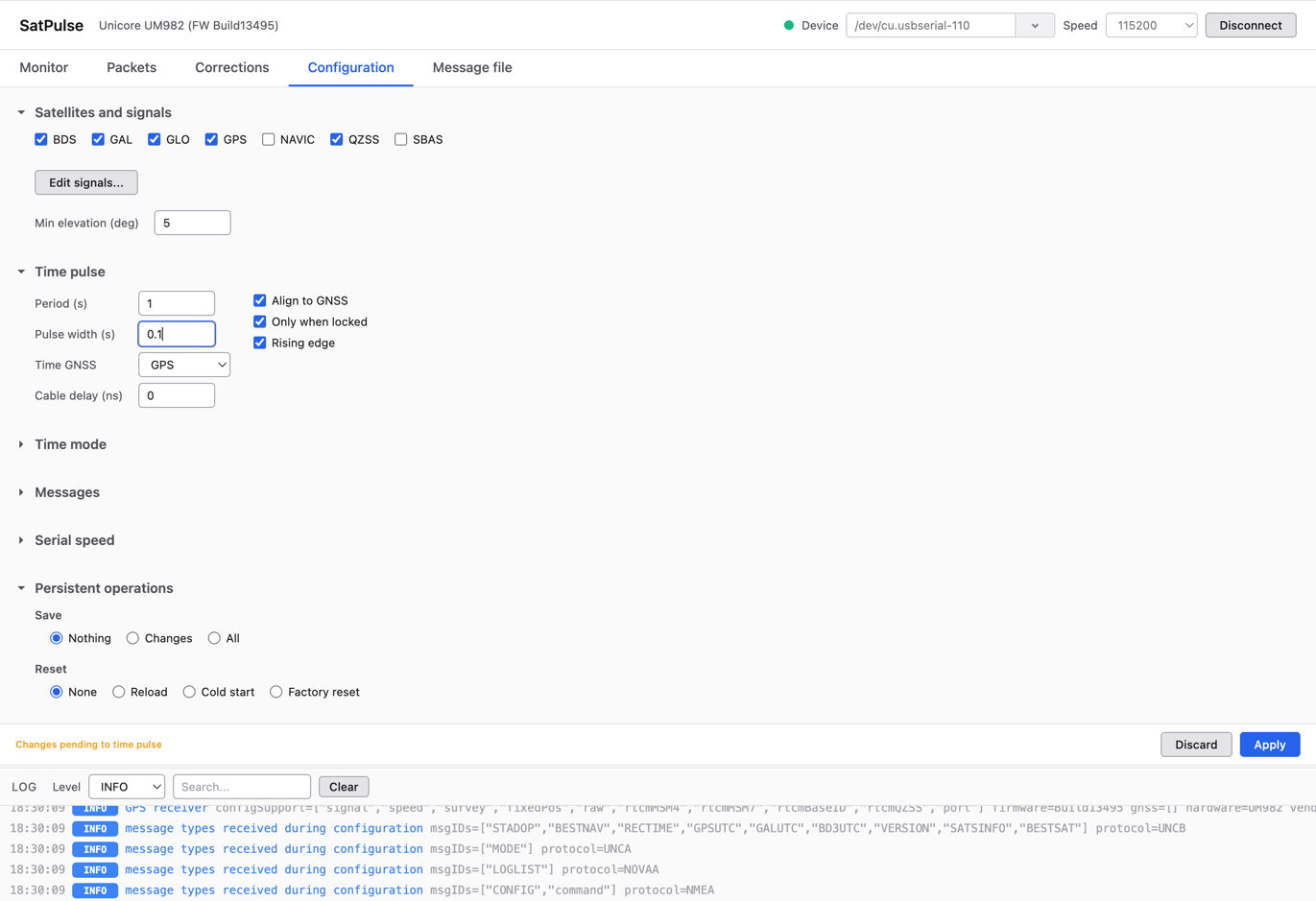
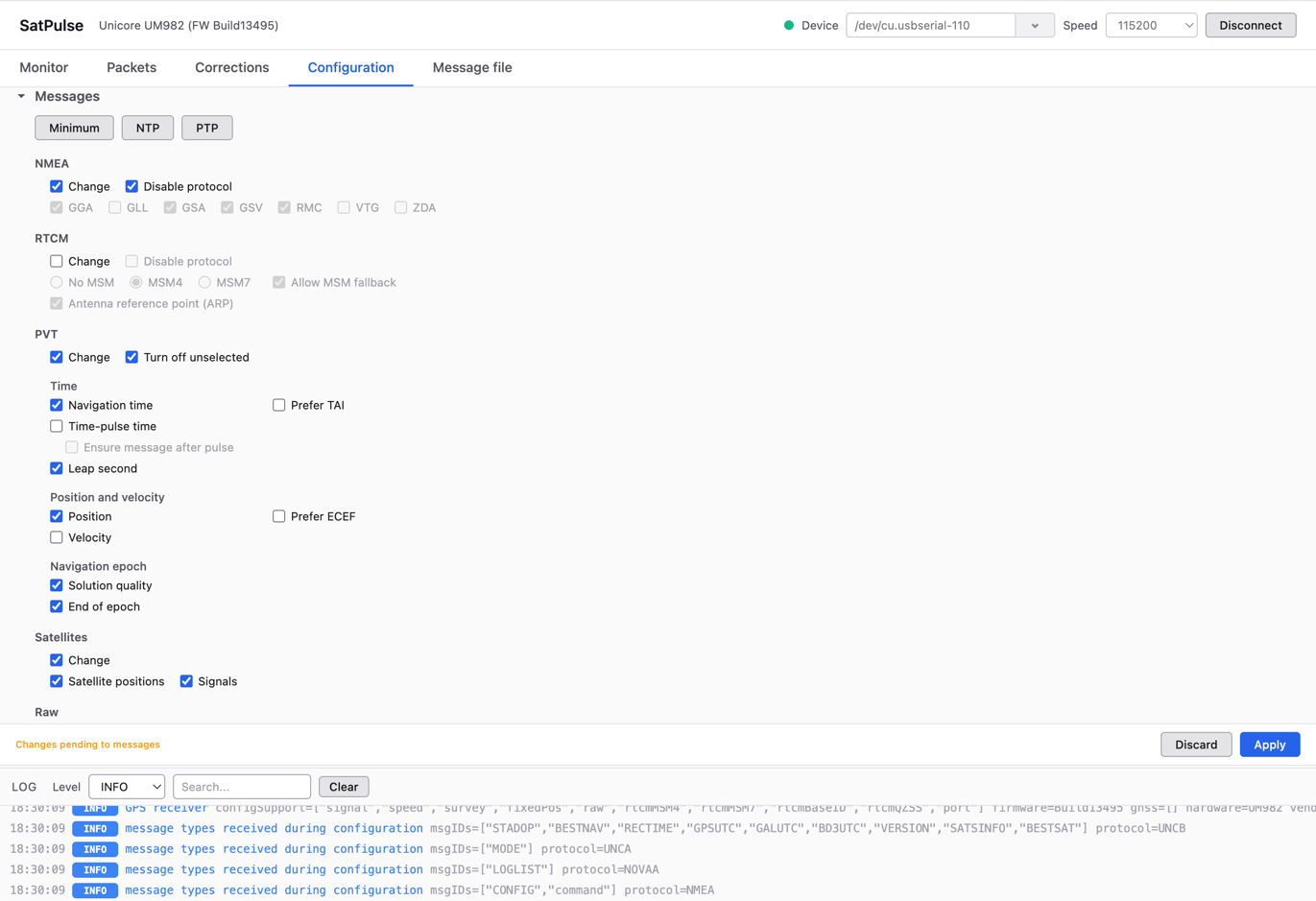
There are similarly two tabs devoted to configuration. The first exposes a high-level configuration model, which is independent of any vendor protocol. The user describes their intended configuration in GNSS terms, and the implementation figures out how to achieve that for the connected receiver.
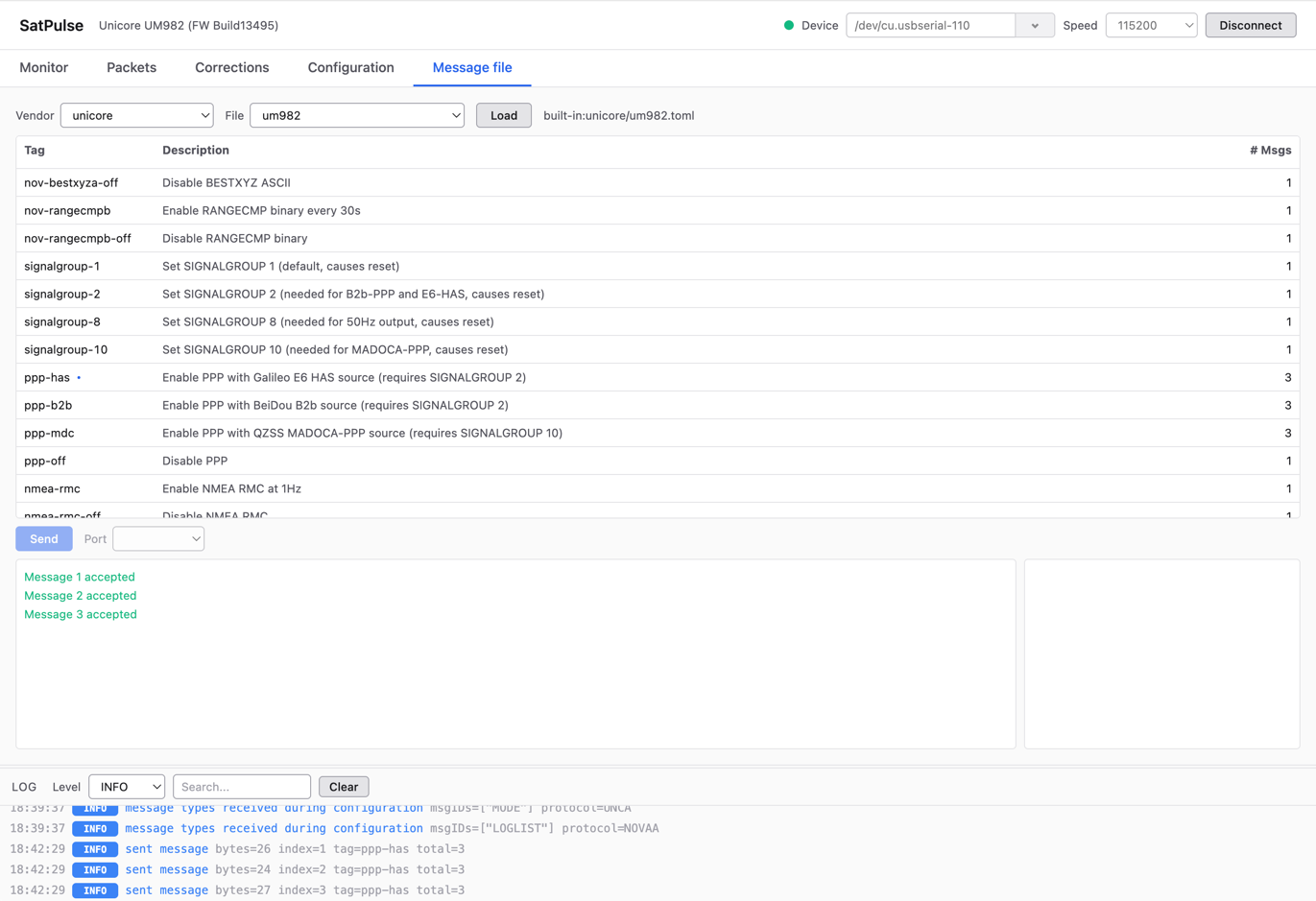
The second configuration tab provides a low-level configuration model, where the user selects messages to send from a library of message files, organized by vendor. This can be used both for receivers for which high-level configuration has not been implemented, and for configuring things that the high-level configuration model does not cover.
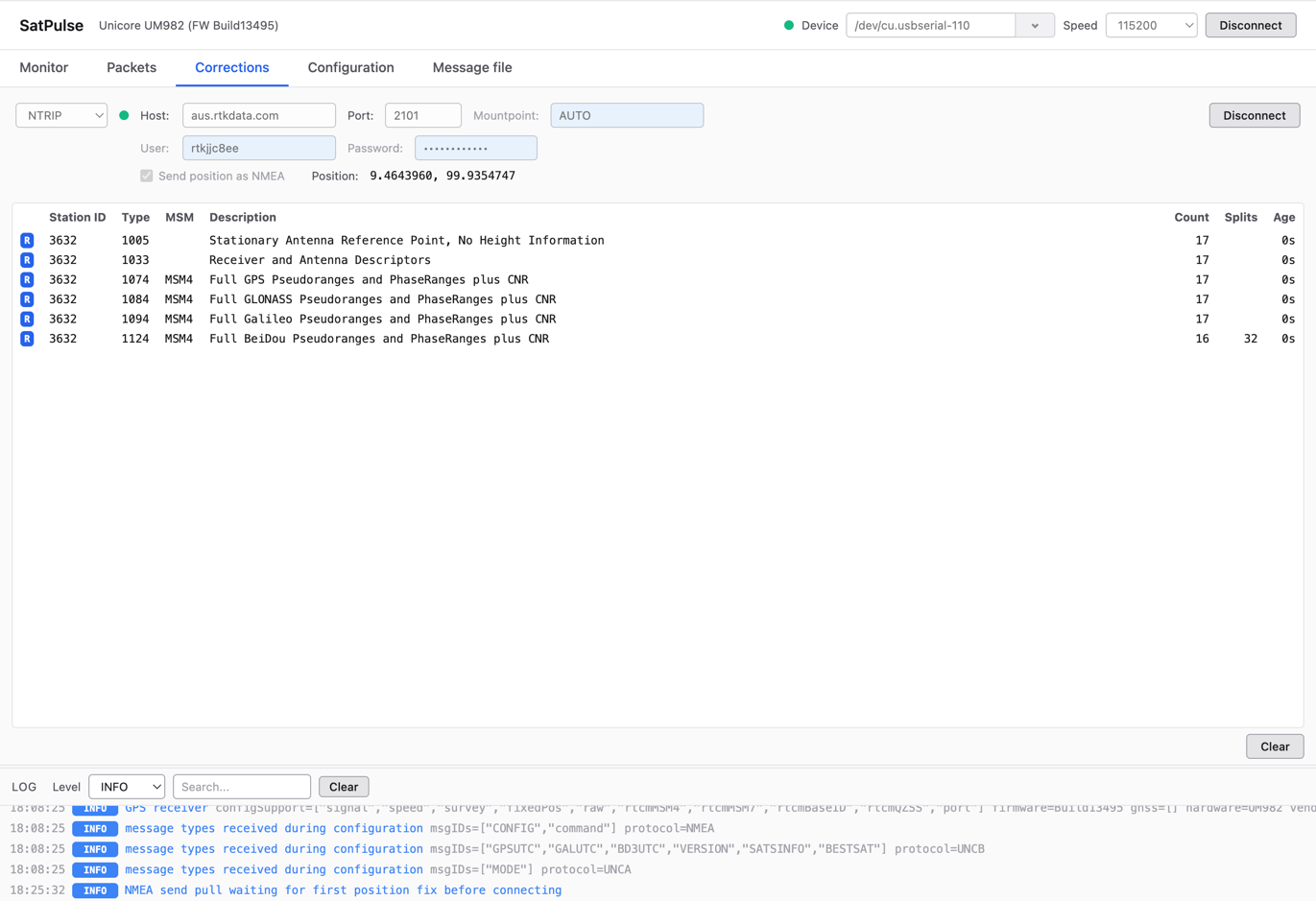
The final tab allows you to pull corrections from either an Ntrip caster or a TCP server and feed them to the receiver. The correction messages, which may be in RTCM or SPARTN format, are parsed before being fed to the receiver, and the tab summarizes them by message type.
SatPulse’s GPS subsystem has support for a wide range of vendors:
u-blox, Unicore, Zhongke Microelectronics (using CASIC protocol), Septentrio, Quectel (using PQTM and PAIR protocols), Allystar, NovAtel, ByNav, SinoGNSS (also known as ComNav), Techtotop (also called Taidou, using SDBP protocol).
This is not to say that every receiver model from every one of these vendors is supported.
u-blox has particularly broad support, covering everything from LEA-6T (released in 2009) through to the latest ZED-X20P.
For other vendors, support is more selective.
Support for high-level configuration requires additional implementation effort.
High-level configuration has been implemented for the full range of u-blox receivers and for the Unicore UM980 series.
There is also experimental support for Zhongke Microelectronics receivers; this needs to be enabled by using a
--vendor zhongke (or --vendor casic) option.
In addition, there are PRs to add support for Allystar, Septentrio and Quectel,
which will be merged in due course. Initially, these will also require the use of the --vendor option.
The high-level configuration tab is not available when high-level support for a receiver is not implemented,
but the other tabs work as normal.
SatPulse Workbench is intended to be complementary to the existing daemon, satpulsed.
The daemon is designed to run unattended for months at a time,
providing GNSS time to a time server or acting as an RTK base station.
The high-level monitoring tab of the workbench has some overlap
with the daemon’s monitoring dashboard.
I have not yet figured out to what extent I want to harmonize these:
the dashboard is currently designed to work well on a mobile phone,
whereas the workbench is not.
The functionality of the configuration tabs is also available in the existing satpulsetool gps command-line tool.
The web-based interface is often more convenient for interactive use:
you do not have to remember a complex command-line syntax and
the monitoring tabs allow you to see the result of configuration.
The command-line tool remains useful for scripting and also works very well with coding agents.
Surprisingly little code in satpulsewb is new.
The backend is built on top of the same GPS Go subsystem that is used by satpulsed and satpulsetool.
The UI is an evolution of that used in the experimental Wails-based desktop app,
which I previously blogged about.
There were two main pieces needed to enable satpulsewb.
The first piece was refactoring the Wails backend into two parts: a shell and a session.
The session is the bulk of the code and is independent of Wails;
it includes the hard part, which is managing concurrency.
The shell implements the Wails-specific parts of the backend on top of the session.
satpulsewb is implemented as a second shell on top of the session.
To test the session abstraction, I also vibe-coded a TUI using Bubble Tea on top of the same session package.
It’s not something I want to spend time on now, but the code is available if anybody wants to play with it.
The second piece is dealing with the possibility of multiple browser windows accessing the same session.
The approach I have implemented is that only one browser window at a time can modify the GNSS receiver.
If you open a new browser window, then the previous window is put into a read-only mode.
So why am I shipping the SatPulse Workbench rather than the Wails desktop app?
There are two reasons.
First, I think having a receiver attached to a headless SBC is an important use case,
and the browser-based approach supports this much better than the desktop app.
This is a feature that strongly distinguishes SatPulse Workbench from existing vendor evaluation software.
Second, packaging and distribution are much easier:
satpulsewb is, from a packaging and distribution point of view,
the same kind of program as satpulsed and satpulsetool.
In particular, it does not depend on any C libraries.
This means I can have a single package including all three programs.
On Linux, it maintains the important property that a single per-architecture binary will work reliably on all distributions.
However, the refactoring means I can maintain the desktop GUI with minimal extra effort.
When SatPulse is more mature, and hopefully has a bit more traction,
I can jump through the packaging and distribution hoops that are needed for a smooth installation experience for a desktop app (Microsoft Store on Windows, App Store on macOS, per-distro packages on Linux).